A practical look at the Factory Method pattern in C#, with a clear example and guidance on when to use it in an ASP.NET Core API.
Intro
When I first started working on APIs, I noticed a pattern cropping up repeatedly: creating objects based on some condition. Instead of scattering new calls everywhere and tangling creation logic into business logic, the Factory pattern gives that responsibility a proper home.
What Is the Factory Method Pattern?
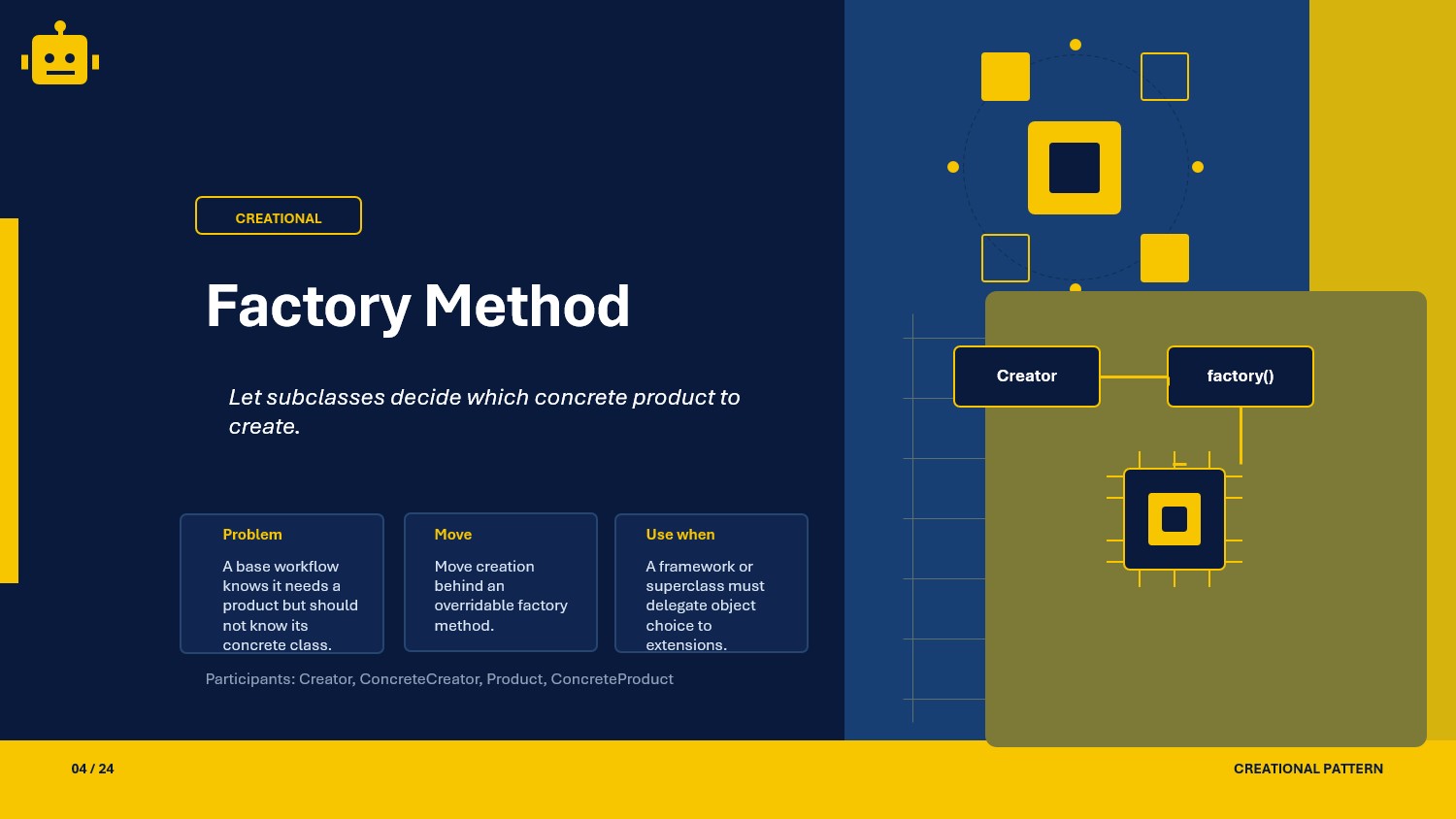
Factory Method is a creational design pattern that centralizes object creation behind a method. Instead of calling new directly throughout the codebase, you ask a factory method to create the right object for you based on the input or context you provide.
In plain terms, the caller does not need to know which class to instantiate. It just describes what it needs, and the factory handles the rest.
Factory Class Example
The scenario below shows a notification system that supports multiple channels. The factory decides which notifier to create based on the channel type.
public interface INotification{    void Send(string message);}
public class EmailNotification : INotification{    public void Send(string message) =>        Console.WriteLine($"[Email] {message}");}
public class SmsNotification : INotification{    public void Send(string message) =>        Console.WriteLine($"[SMS] {message}");}
public class PushNotification : INotification{    public void Send(string message) =>        Console.WriteLine($"[Push] {message}");}
Here, How we can implement those
public enum NotificationChannel{    Email,    Sms,    Push}
public static class NotificationFactory{    public static INotification Create(NotificationChannel channel) =>        channel switch        {            NotificationChannel.Email => new EmailNotification(),            NotificationChannel.Sms   => new SmsNotification(),            NotificationChannel.Push  => new PushNotification(),            _ => throw new ArgumentOutOfRangeException(nameof(channel), "Unknown channel")        };}
Usage
var notifier = NotificationFactory.Create(NotificationChannel.Email);notifier.Send("Your order has been placed.");Why This Works
Single Creation Point
All object creation goes through the factory, so changes to construction logic stay in one place.
Loose Coupling
The caller depends only on the INotification interface, not on any concrete class.
Easy Extension
Adding a new channel means adding a new class and one line in the factory, with no changes to existing callers.
When to Use It
Factory is a good fit when the exact type of object to create is not known until runtime.
- creating different payment processors based on provider
- choosing a storage backend based on configuration
- producing different report formats based on user selection
- wiring up strategy objects without exposing concrete types
That said, if you only ever create one type of object, a factory adds more structure than value. Use it when the variation is real.
Important Note for ASP.NET Core
In ASP.NET Core, you can register a factory delegate directly with the DI container to let it resolve the right implementation at runtime.
builder.Services.AddTransient<EmailNotification>();builder.Services.AddTransient<SmsNotification>();builder.Services.AddTransient<PushNotification>();
builder.Services.AddTransient<Func<NotificationChannel, INotification>>(sp => channel =>    channel switch    {        NotificationChannel.Email => sp.GetRequiredService<EmailNotification>(),        NotificationChannel.Sms   => sp.GetRequiredService<SmsNotification>(),        NotificationChannel.Push  => sp.GetRequiredService<PushNotification>(),        _ => throw new ArgumentOutOfRangeException(nameof(channel), "Unknown channel")    });
Then inject and use it in a service:
public class OrderService(Func<NotificationChannel, INotification> notificationFactory){ public void Notify(NotificationChannel channel, string message) { var notifier = notificationFactory(channel); notifier.Send(message); }}This keeps the factory logic testable and lets the container manage lifetimes cleanly.
Core Components of the Pattern
| Part | Purpose | Example in this article |
|---|---|---|
| Product interface | Defines what the factory produces | INotification |
| Concrete products | The actual implementations | EmailNotification, SmsNotification, PushNotification |
| Factory | Creates and returns the correct product | NotificationFactory |
| Caller | Asks the factory for an object | OrderService |
Common Factory Variations
You will usually see the Factory Method pattern in these three forms:
SimpleFactory
This is the most beginner-friendly version. A static method chooses the concrete type and returns it as an abstraction.
ParameterizedFactory
This version decides creation using multiple runtime inputs and business rules, making the factory behavior more dynamic.
VirtualConstructor
This is the closest form to the classic GoF Factory Method. A base creator defines the workflow, and subclasses override the factory method to choose the concrete product.
How the Variations Differ
| Variation | Creation approach | Extensibility | Best use case |
|---|---|---|---|
| SimpleFactory | One static factory method creates based on a simple input | Low to Medium | Intro to centralized object creation |
| ParameterizedFactory | Factory decides using multiple parameters and rules | Medium | Runtime rule-based object selection |
| VirtualConstructor | Base workflow calls an overridable factory method | High | True Factory Method with polymorphism |
SOLID Principles Behind It
SRP — Single Responsibility Principle
The factory class has one job: deciding which object to create. Business logic stays in the products, not mixed into the creation code.
OCP — Open/Closed Principle
You can add a new notification channel by adding a new class and registering it, without modifying existing callers or products.
LSP — Liskov Substitution Principle
Because all products implement INotification, any concrete type can be used wherever the interface is expected without breaking behavior.
DIP — Dependency Inversion Principle
Callers depend on the INotification abstraction, not on EmailNotification or any other concrete class.
Advantages and Disadvantages
Advantages
- Centralizes object creation in one place.
- Keeps callers decoupled from concrete classes.
- Makes runtime object selection straightforward.
- Improves testability by targeting abstractions.
Disadvantages (and Optional Alternatives)
- A single factory can become a large conditional block as product types grow. Optional pattern: Strategy (register channel-to-strategy mapping and delegate creation).
- In simple static factory versions, adding a new type often requires editing the factory itself. Optional pattern: Abstract Factory (group related creations and extend by adding a new family).
- Unknown input handling is still a runtime concern. Optional pattern: Null Object (return a safe no-op implementation when appropriate).
UML Diagram
classDiagram    class Client
    class IRenderer    class PdfRenderer    class TextRenderer    class StaticRendererFactory {        +Create(output) IRenderer    }
    class INotifier    class EmailNotifier    class SmsNotifier    class NotifierFactory {        +Create(channel, highPriority) INotifier    }
    class IMessageFormatter    class JsonFormatter    class HtmlFormatter
    class MessageCreator {        +Compose(value) string        #CreateFormatter() IMessageFormatter    }
    class JsonMessageCreator    class HtmlMessageCreator
    PdfRenderer ..|> IRenderer    TextRenderer ..|> IRenderer    EmailNotifier ..|> INotifier    SmsNotifier ..|> INotifier    JsonFormatter ..|> IMessageFormatter    HtmlFormatter ..|> IMessageFormatter    JsonMessageCreator --|> MessageCreator    HtmlMessageCreator --|> MessageCreator
    StaticRendererFactory --> IRenderer    NotifierFactory --> INotifier    MessageCreator --> IMessageFormatter    Client --> StaticRendererFactory    Client --> NotifierFactory    Client --> MessageCreator
A Quick Usage Example
INotification email = NotificationFactory.Create(NotificationChannel.Email);INotification sms   = NotificationFactory.Create(NotificationChannel.Sms);
email.Send("Your invoice is ready.");sms.Send("Your OTP is 482910.");
Each call returns a different concrete type, but the calling code treats them identically through the interface.
How to Validate the Pattern
If you want to confirm your factory is working correctly, check these points:
- the factory should return a different concrete type based on the input
- the caller should only hold a reference to the interface, never to a concrete class
- adding a new product type should require no changes to existing callers
- the factory should throw a clear error for unknown input rather than returning null
A quick practical check is to pass each valid channel value into the factory and confirm the returned object behaves as expected. For multi-threaded scenarios, verify that the factory handles concurrent calls safely.
Is there any other way to check our implementations
- Yes, we can write test cases for those implementations
- Here is the link, to test using unit test cases
Summary
The Factory Method pattern centralizes object creation behind a single point, decouples callers from concrete types through an interface, and makes the codebase easier to extend when new product types are introduced. It is one of the most practical patterns to reach for whenever construction logic depends on runtime conditions.