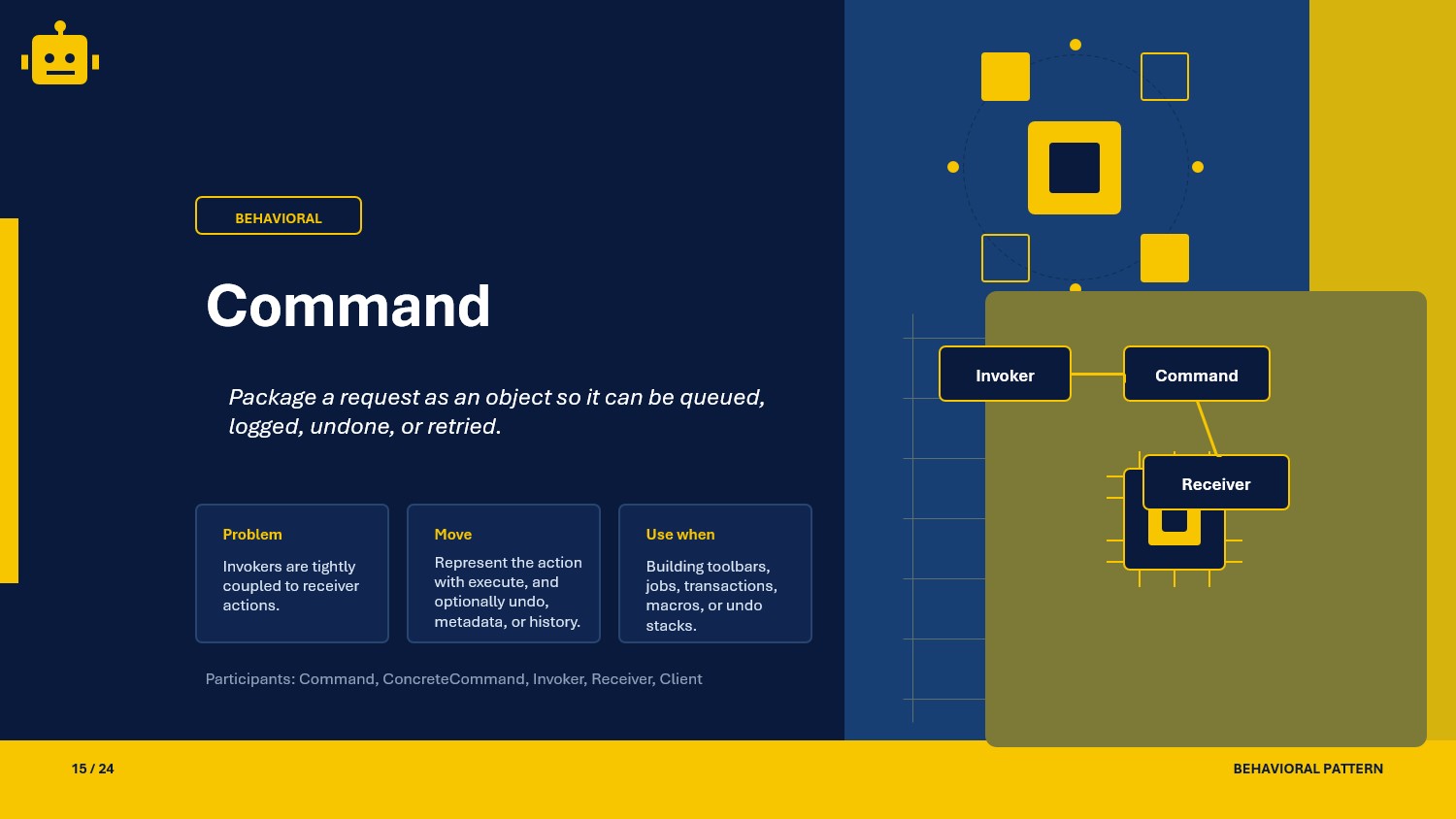
A practical Command pattern guide in C# with Simple, Composite, and Undoable variants for clean .NET API workflows.
Intro
As backend workflows grow, the same request may need to be executed immediately, delayed, retried, audited, or rolled back. The Command pattern makes that manageable by packaging each action as an object with a standard contract.
What Is the Command Pattern?
Command is a behavioral design pattern that turns an operation into a dedicated object. Instead of calling service methods directly everywhere, callers trigger command objects that know how to execute work against a receiver.
This keeps request creation, request dispatching, and request execution decoupled, which is valuable in API pipelines where tasks may be queued, grouped, or undone.
Command Class Example
The scenario below represents a text editor action stream. Commands operate on a document receiver.
public interface ICommand{    void Execute();}
public sealed class TextDocument{    private readonly Stack<string> _history = new();    public string Content { get; private set; } = string.Empty;
    public void Append(string value)    {        _history.Push(Content);        Content += value;    }
    public void DeleteLast(int length)    {        _history.Push(Content);        if (length <= 0 || Content.Length == 0) return;        Content = Content[..Math.Max(0, Content.Length - length)];    }
    public void RestorePrevious()    {        if (_history.Count > 0)            Content = _history.Pop();    }}
public sealed class AppendTextCommand(TextDocument document, string text) : ICommand{    public void Execute() => document.Append(text);}
public sealed class DeleteTextCommand(TextDocument document, int count) : ICommand{    public void Execute() => document.DeleteLast(count);}
Here is a minimal invoker:
public sealed class CommandInvoker{ public void Run(ICommand command) => command.Execute();}Usage
var document = new TextDocument();var invoker = new CommandInvoker();
invoker.Run(new AppendTextCommand(document, "Hello"));invoker.Run(new AppendTextCommand(document, " World"));invoker.Run(new DeleteTextCommand(document, 6));
Console.WriteLine(document.Content); // Hello
Why This Works
- Decoupled Request Flow: The caller only knows it is sending a command, while the receiver owns domain behavior.
- Operational Flexibility: The same command can be executed now, queued for later, retried on failure, or logged for traceability.
- Composability: Multiple commands can be grouped into larger workflows without rewriting existing command classes.
When to Use It
Command is a strong fit when your system handles user or system actions that must be processed in a uniform way.
- handling UI actions in desktop or web clients
- queueing background tasks from API requests
- capturing audit-friendly action history
- implementing undo and redo operations
- orchestrating multi-step operations with reusable action blocks
If your use case is a single, direct method call with no orchestration needs, the pattern may be more structure than necessary.
Important Note for ASP.NET Core
In ASP.NET Core APIs, command handlers are often resolved by DI and executed by an application service (or mediator-like dispatcher). This keeps controllers thin and centralizes request execution logic.
public interface ICommandHandler<TCommand>{    Task HandleAsync(TCommand command, CancellationToken cancellationToken);}
public sealed record CreateInvoiceCommand(Guid CustomerId, decimal Amount);
public sealed class CreateInvoiceCommandHandler : ICommandHandler<CreateInvoiceCommand>{    public Task HandleAsync(CreateInvoiceCommand command, CancellationToken cancellationToken)    {        // Persist invoice and publish domain event.        return Task.CompletedTask;    }}
builder.Services.AddScoped<ICommandHandler<CreateInvoiceCommand>, CreateInvoiceCommandHandler>();
This layout improves testability and makes cross-cutting concerns such as validation, logging, and retries easier to apply in one pipeline.
Core Components of the Pattern
| Part | Purpose | Example in this article |
|---|---|---|
| Command interface | Defines the operation contract | ICommand |
| Concrete commands | Implement specific executable actions | AppendTextCommand, DeleteTextCommand |
| Receiver | Owns business behavior | TextDocument |
| Invoker | Triggers command execution | CommandInvoker |
| Client | Creates and passes commands | API layer or UI action dispatcher |
Common Command Variations
You will commonly apply the Command pattern in these three forms:
Simple Command (Source)
The invoker executes one command at a time. This is the fastest way to standardize request execution and remove direct coupling between callers and receivers.
public sealed class ArchiveOrderCommand(OrderService service, Guid orderId) : ICommand{ public void Execute() => service.Archive(orderId);}Composite Command (Source)
A composite command executes a sequence of child commands as one higher-level unit. This is helpful for transaction-like workflows.
public sealed class CompositeCommand(IEnumerable<ICommand> commands) : ICommand{ public void Execute() { foreach (var command in commands) command.Execute(); }}Undoable Command (Source)
Undoable commands add reverse behavior and execution tracking, enabling rollback or user-facing undo features.
public interface IUndoableCommand : ICommand{    void Undo();}
public sealed class UndoableAppendTextCommand(TextDocument document, string text) : IUndoableCommand{    private bool _executed;
    public void Execute()    {        document.Append(text);        _executed = true;    }
    public void Undo()    {        if (!_executed) return;        document.DeleteLast(text.Length);        _executed = false;    }}
How the Variations Differ
| Variation | Execution model | Rollback support | Best use case |
|---|---|---|---|
| Simple Command | One command object maps to one operation | No | Basic action dispatch |
| Composite Command | One command wraps and executes multiple commands | Optional | Multi-step workflows and orchestration |
| Undoable Command | Command executes and can reverse its own effect | Yes | Editors, transactional UI actions, rollback APIs |
SOLID Principles Behind It
SRP - Single Responsibility Principle
Each command class has one job: encapsulate and execute one business action.
OCP - Open/Closed Principle
You can add new behavior by introducing new command classes without rewriting existing invokers.
LSP - Liskov Substitution Principle
Any command implementation can be passed where the command abstraction is expected.
DIP - Dependency Inversion Principle
Callers and invokers depend on ICommand or handler abstractions, not concrete implementations.
Advantages and Disadvantages
Advantages
- separates action triggering from action execution
- enables reusable orchestration and scheduling
- improves testability through command-level unit tests
- supports audit, retry, queue, and undo scenarios
Disadvantages (and Optional Alternatives)
- many tiny command classes can increase file count and maintenance overhead Optional pattern: Strategy (group related algorithms behind one contract when undo/history is unnecessary).
- composite command flows can become hard to debug without clear tracing Optional pattern: Template Method (use a fixed step pipeline when sequence is static).
- undo behavior requires careful state management to stay correct Optional pattern: Memento (capture immutable snapshots for safer restoration paths).
UML Diagram
classDiagram    class Client    class Invoker {        +Run(command)    }
    class ICommand {        <<interface>>        +Execute()    }
    class IUndoableCommand {        <<interface>>        +Execute()        +Undo()    }
    class Receiver {        +Append(value)        +DeleteLast(count)    }
    class AppendTextCommand    class DeleteTextCommand    class CompositeCommand    class UndoableAppendTextCommand
    AppendTextCommand ..|> ICommand    DeleteTextCommand ..|> ICommand    CompositeCommand ..|> ICommand    UndoableAppendTextCommand ..|> IUndoableCommand
    AppendTextCommand --> Receiver    DeleteTextCommand --> Receiver    UndoableAppendTextCommand --> Receiver    CompositeCommand --> ICommand : contains    Client --> Invoker    Invoker --> ICommand
A Quick Usage Example
var doc = new TextDocument();
ICommand createGreeting = new CompositeCommand(new ICommand[]{    new AppendTextCommand(doc, "Hi"),    new AppendTextCommand(doc, ", "),    new AppendTextCommand(doc, "Team")});
createGreeting.Execute();Console.WriteLine(doc.Content); // Hi, Team
The caller can trigger a grouped action through one command reference while the receiver still performs the actual domain work.
How to Validate the Pattern
Use these checks to confirm your Command implementation is healthy:
- command classes should be executable without the caller knowing receiver internals
- invoker code should accept abstractions (
ICommandor handler interfaces) - composite commands should preserve execution order across child commands
- undoable commands should safely revert only previously executed actions
- command execution should be testable in isolation with mocked or fake receivers
Is there any other way to check our implementations
- Yes, create unit tests for each command variant (Simple, Composite, Undoable).
- Add integration tests for command pipelines that run through DI in your API layer.
Summary
The Command pattern gives .NET applications a clean way to model actions as objects, making execution pipelines easier to extend, orchestrate, and test. With Simple, Composite, and Undoable variants, you can start small and evolve toward richer workflow control without coupling callers to business internals.